How to Create a Multi-Touch Attribution Model
Create an explainable, defensible multi-touch marketing attribution model that intelligently distributes credit among sales and marketing tactics
Joe Fusaro
Founder, Datachef
Marketing attribution is a contentious topic. Single-touch attribution models -- the kind that most CRM systems like Salesforce default to -- typically result in different teams jostling for credit.
This is especially true in B2B sales & marketing, where we engage multiple people across multiple channels.
Trying to determine which one thing resulted in a sale could be very misleading.
Many sales and marketing teams come to the conclusion that something that distributes credit across the tactics that influenced pipeline and revenue is what is needed.
Enter: multi-touch marketing attribution models.
The challenge with multi-touch marketing attribution models is that data & logic requirements become exponentially more complex -- way more complex than source systems (e.g. Salesforce, Marketo) can handle natively.
This is an area where Datachef shines.
In this post, we'll walk through the creation of a multi-touch attribution model that adheres to some of the core principles that I've previously written about while reducing the complexity that has historically been associated with such models. You no longer need a data engineer, CRM admin, and a team of analysts to build out your marketing attribution model; you can build out all of this with Datachef and a single, well-written prompt.
Table of Contents
- Start with a prompt to describe your multi-touch attribution model
- Adjust synced fields, if needed
- Review the generated query & table
- Create a model
- Create & share visualizations
Start with a prompt to describe your multi-touch attribution model
We'll start with a prompt that explains the parameters for our multi-touch attribution model:
I want to know the total value of open pipeline and closed won pipeline attributed to campaigns using a multi-touch attribution model. A campaign may get attribution credit only if the campaign member response preceded the opportunity creation by up to 180 days. Do NOT use the Opportunity campaignid, which will only consider single-touch attribution.
You can use this as a starting point, or you can go straight to the SQL editor if you prefer.
Adjust synced fields, if needed
Datachef combines (a) full awareness of your source system metadata, and (b) a knowledge base for each system that we support. This allows our AI to reason out which fields it should use to provide the right answer. Otherwise, your LLM will hallucinate and give the best answer with the fields it already has access to.
Datachef will flag when it needs additional tables and/or fields to perform analysis.
In this example, it tells us:
To answer this question, I need access to the "campaign" table, and the following columns: id, name, isdeleted.
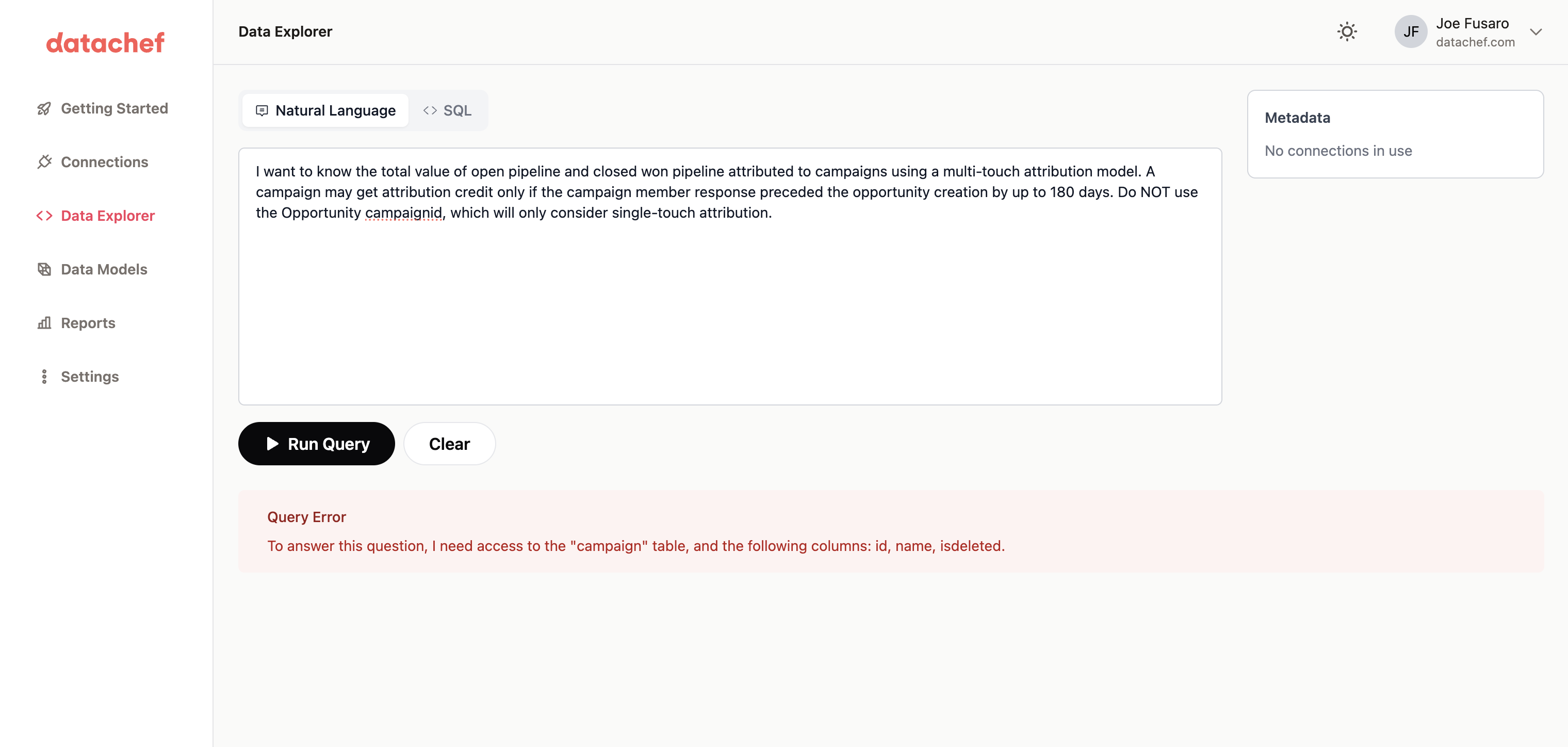
You can easily remedy this by syncing these fields for your connection.
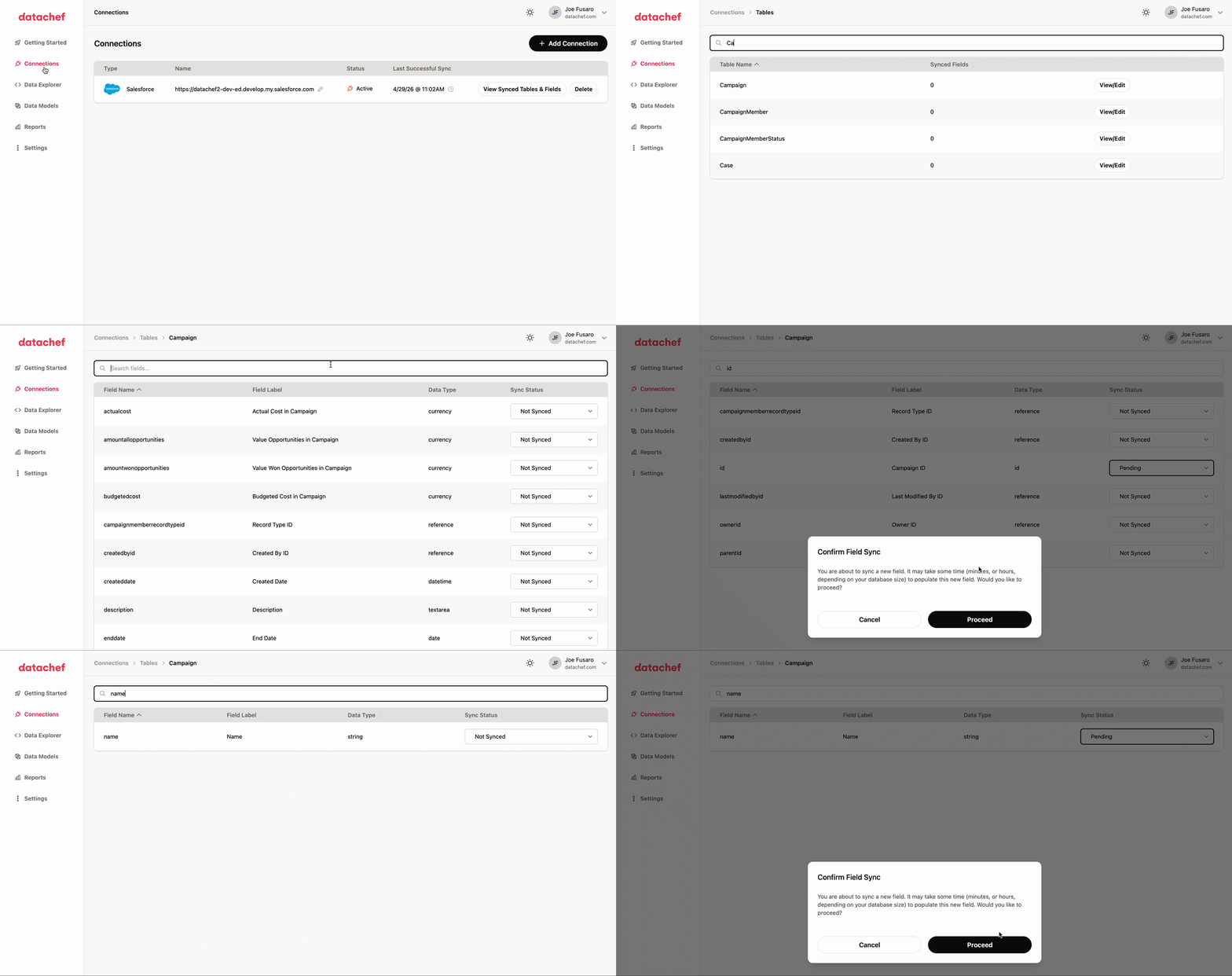
Review the generated query & table
After all of the tables and fields are synced to Datachef, I can toggle to inspect the query that's been constructed.
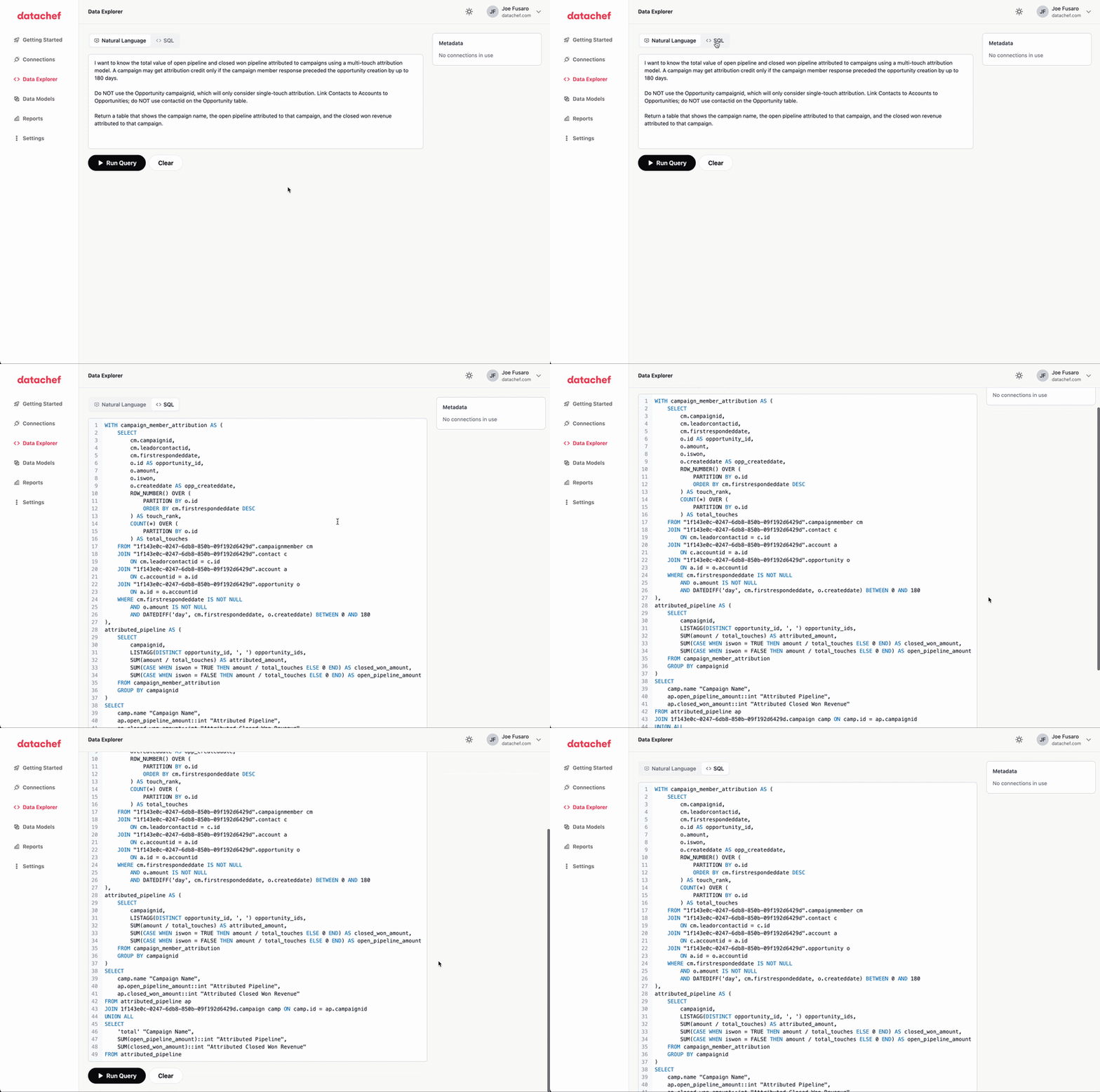
The output of our query returns a simple table:
| Campaign Name | Attributed Pipeline | Attributed Closed Won Revenue |
|---|---|---|
| User Conference | 30000 | 22500 |
| ABM Performance Webinar | 60000 | 22500 |
| total | 90000 | 45000 |
Create a model
Models ensure that every user gets consistent results vs. different models being spun up on the fly by the LLM and returning different results.
Once we've validated that our query is working as expected, we can easily create a model from it.
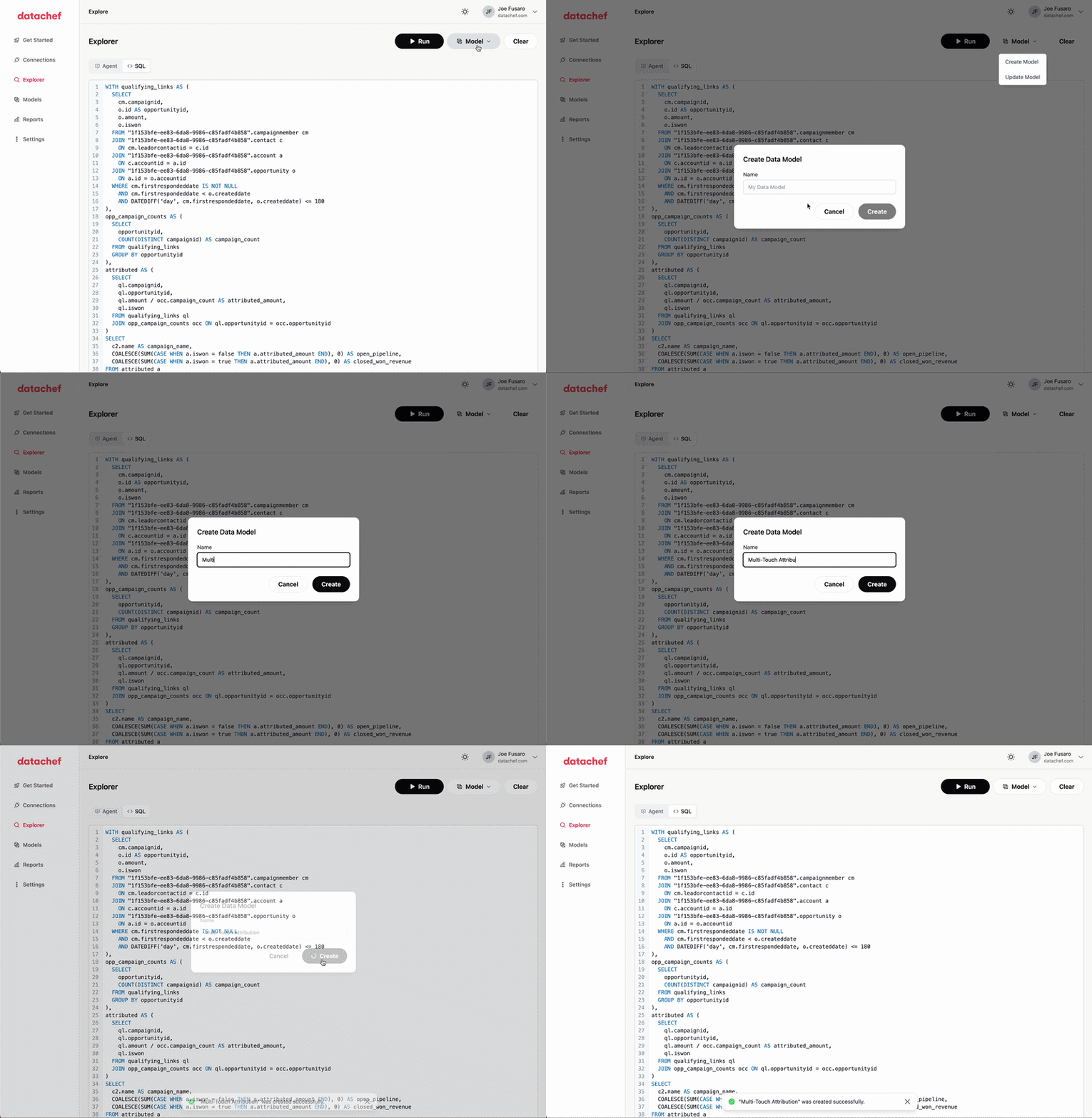
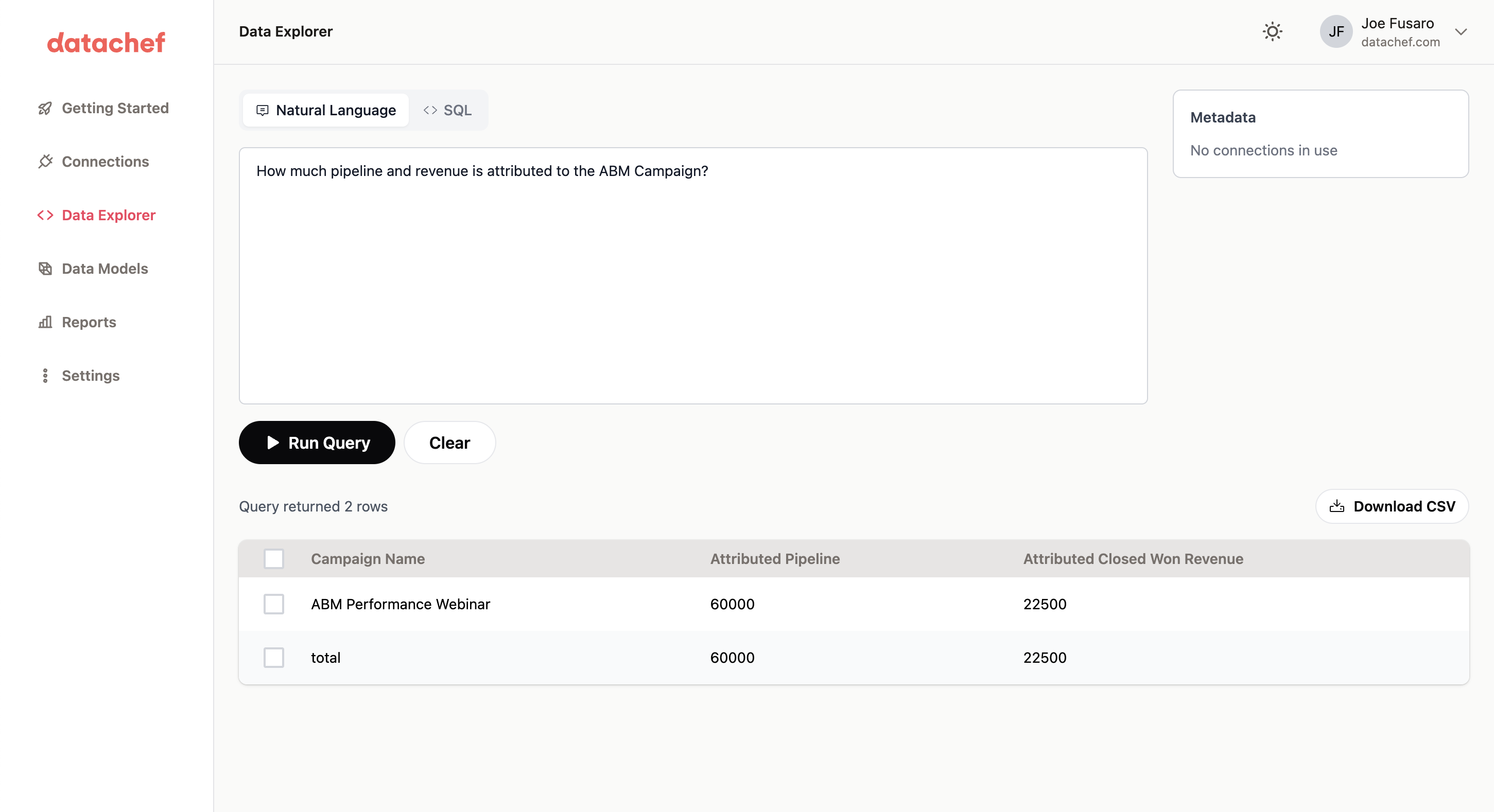
The next time I ask about campaign attribution, Datachef will know to use our attribution model.
How much pipeline and revenue is attributed to the ABM Campaign?
Create & share visualizations
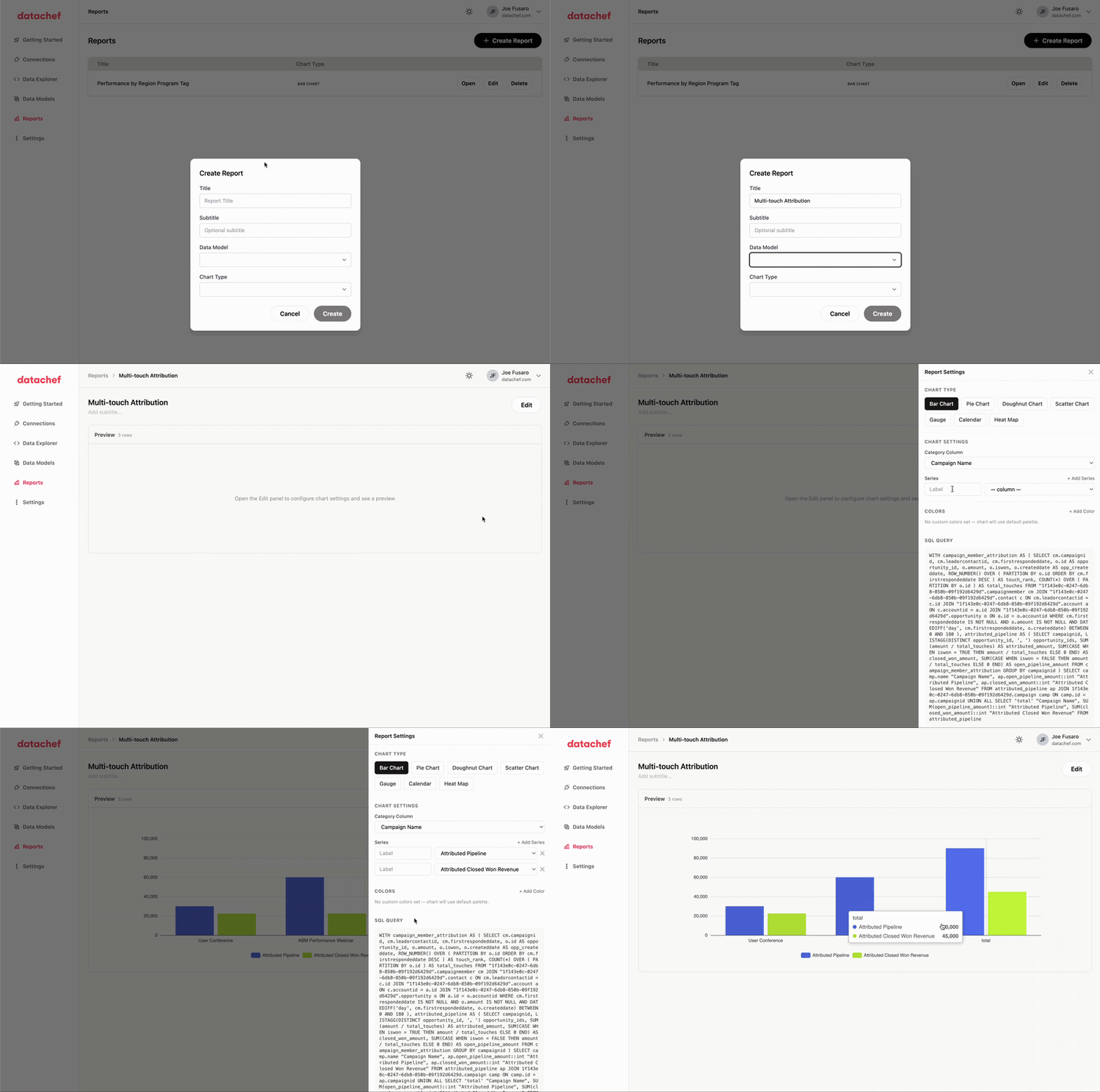
Lastly, if I want, I can create a simple visualization to show the output of my model.
Want to build your own multi-touch marketing attribution model?
Check out additional video demos or try Datachef free for 30 days.